Relief maps
Loading...
Relief maps
This product allows you to get relief maps around the world. Set the position of the sun in parameters and you will receive accurate illumination of the earth’s surface and its relief for these conditions.
You can use Relief maps as a base layer in your maps. Also, you can use Relief maps with our Weather map layers.
This product is a combination of a layer tint (colored raster) and a hillshade.
URL format and Parameters to get Relief maps
http://maps.openweathermap.org/maps/2.0/relief/{z}/{x}/{y}Parameters | Parameters | |
|---|---|---|
| required | Number of zoom level. You could find information about correlation between zoom levels, X, Y tile coordinate numbers and level scale here |
| required | Number of x tile coordinate. You could find information about correlation between zoom levels, X, Y tile coordinate numbers and level scale here |
| required | Number of y tile coordinate. You could find information about correlation between zoom levels, X, Y tile coordinate numbers and level scale here |
| required | Your unique API key (you can always find it on your account page under the "API key" tab) |
Optional parameters to configure the layer tint | ||
|---|---|---|
| optional | Degree of relief maps opacity (layer tint and hillshade). Available value from 0 (transparent) to 1 (nontransparent). Default value - 0.8 |
| optional | Color palette. You can use custom palettes for each layer. You can also create a palette for yourself and pass it to the URL as follows {value}:{HEX color};. |
| optional |
|
| optional |
|
Optional parameters to configure the hillshade | ||
|---|---|---|
| optional | Azimuth angle of the light source. Degrees, 0° - West, 90° - South, 180° - East, 270° - North. Default value - 315 |
| optional | Altitude angle of the light source above the horizon. Degrees, 90° - Solar zenith. Default value - 45 |
| optional | The ratio of spatial coordinates (x, y) to height units (z). The zfactor allows adjusting the units of measure for the (z) units when they are different from the (x,y) units of the input surface. The z-values of the input surface are multiplied by the zfactor when calculating the final output surface. Default value - 0.025 |
| optional | Degree of layer tint and hillshade opacity. Available value from 0 to 1. If mix_w=0, then layer tint - transparent, hillshade - nontransparent. If mix_w=1, then layer tint - transparent and hillshade - nontransparent. Default value - 0.25 |
http://maps.openweathermap.org/maps/2.0/relief/{z}/{x}/{y}?appid={API key}Please note that you need to insert the generated URL into the special plugins.
For example, Leaflet, OpenLayers. You can also use any other apps that support the display of layers. Learn more
How to pass my palette in Relief maps?
We have custom palettes, but you can use your own palette and pass it to the URL as shown {value}:{HEX color};..;{value}:{HEX color}.
The number of values in the custom palette can be any, but not less than 2. You can set the color for any value with any precision.
To pass the code of color, use the HEX format.
http://maps.openweathermap.org/maps/2.0/relief/{z}/{x}/{y}?palette=0:FF0000;1000:00FF00;3000:0000FF&appid={API key}Examples of Relief maps
mix_w : 0.25
fill_bound : false
sun_az : 315
sun_el : 45
Default parameters
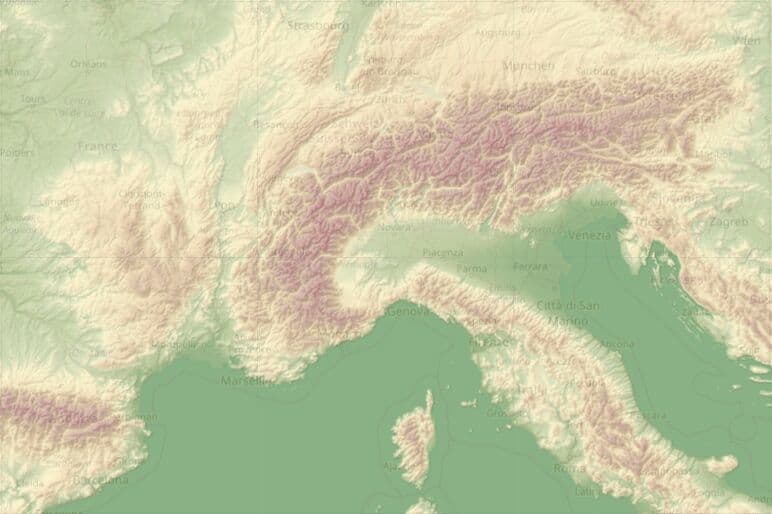
http://maps.openweathermap.org/maps/2.0/relief/{z}/{x}/{y}?appid={API key}mix_w : 0
fill_bound : false
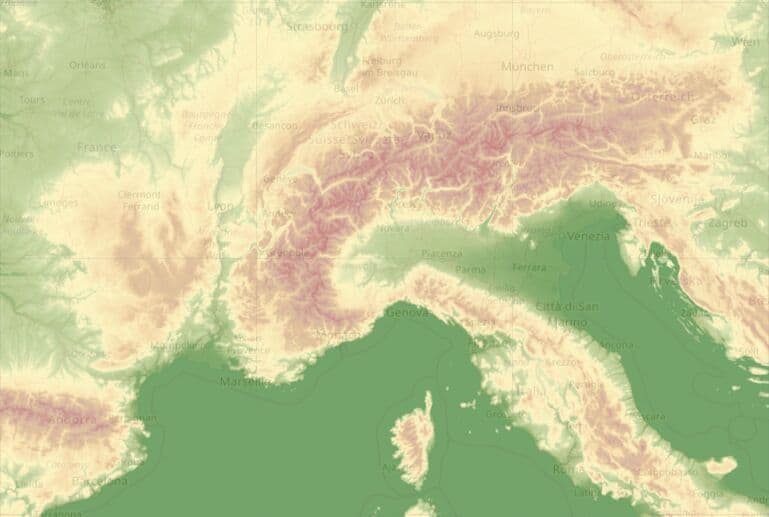
http://maps.openweathermap.org/maps/2.0/relief/{z}/{x}/{y}?mix_w=0&appid={API key}mix_w : 1
fill_bound : false
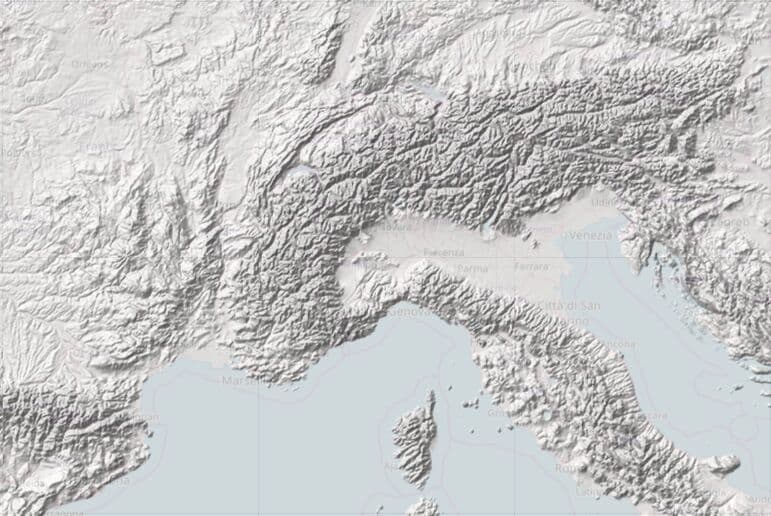
http://maps.openweathermap.org/maps/2.0/relief/{z}/{x}/{y}?mix_w=1&appid={API key}sun_az : 180
sun_el : 135
opacity : 1
fill_bound : false
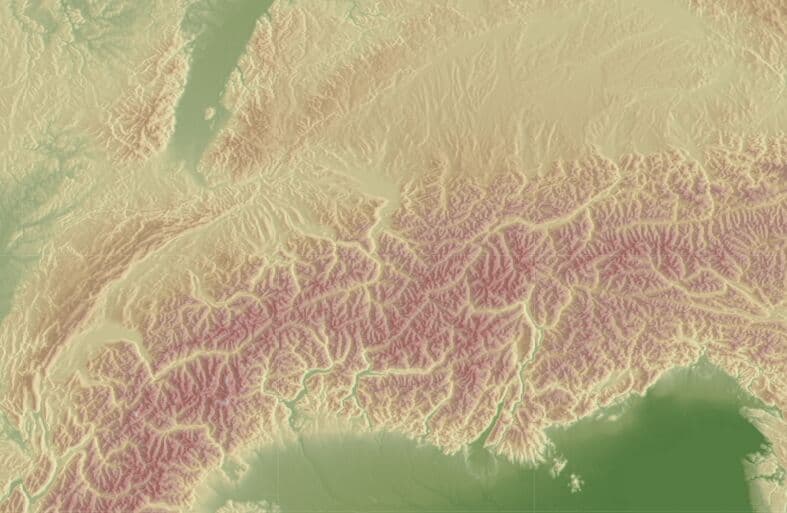
http://maps.openweathermap.org/maps/2.0/relief/{z}/{x}/{y}?sun_az=180&sun_el=135&
opacity=1&appid={API key}sun_az : 0
sun_el : 45
opacity : 1
fill_bound : false
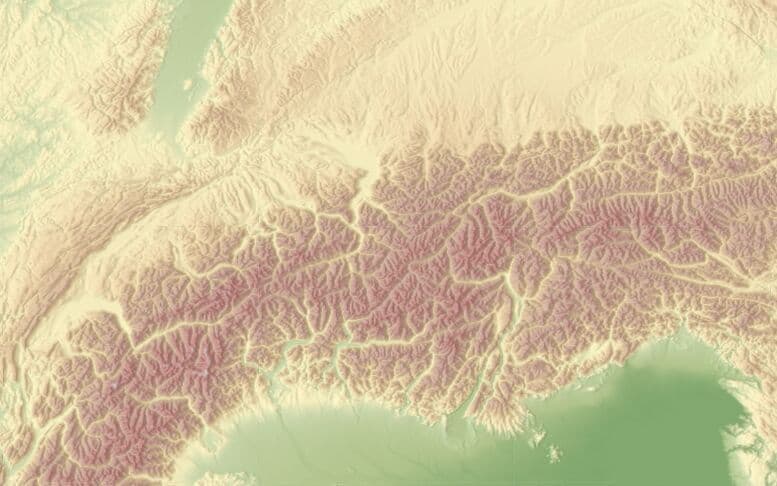
http://maps.openweathermap.org/maps/2.0/relief/{z}/{x}/{y}?sun_az=0&sun_el=45&
opacity=1&appid={API key}
Libraries to connect Relief maps
Open Layers
The following functions are available for the OpenLayers library:
Leaflet
The OpenWeatherMap javascript library is designed to work with the Leaflet mapping service. The current version of the library allows the following:
Leaflet library
Another implementation of map based on Leaflet technology supports OWM's TileLayers and current city/station data. It is configurable with many options. For current city/station data the library supports refreshing the data in intervals, some types of client-side clustering (show only the station/city with the highest rank for a defined pixel square), custom image set (if you provide one), different languages ("en", "de", "ru", "fr", but translation is incomplete), minZoom and others.
Source and documentation (README.md) is available on GitHub https://github.com/buche/leaflet-openweathermap
Example of weather map: https://github.com/owm-inc/VANE-intro/tree/master/apps
Using OpenWeatherMap weather tiles with leaflet: PDF